Showing posts with label 21stcentury. Show all posts

Thursday, April 21, 2011

Courses and Accessibility

Throwback Post from the Focus on Faculty Newsletter

Ever wanted to know if your courses meet accessibility guidelines?  Well your chance to find out is only a click away.
Did you know? The major categories of disability types include:
http://webaim.org/media/common/icon_eye.gifVisual
Blindness, low vision, color-blindness
http://webaim.org/media/common/icon_ear.gifHearing
Deafness
http://webaim.org/media/common/icon_hand.gifMotor
Inability to use a mouse, slow response time, limited fine motor control
http://webaim.org/media/common/icon_brain.gifCognitive
Learning disabilities, distractibility, inability to remember or focus on large amounts of information

Many web resources can assist you in building course material and content that meets ADA requirements. Please check out WebAIM.

http://webaim.org --> Web Accessibility in Mind (WebAIM) is an initiative from Utah State University. This organization hosts a
powerful website full of resources where you can determine whether or not your website is accessible.

Some content includes:
A link to evaluate cognitive web accessibility;
A link to a Section 508 Checklist;
A webpage accessibility checker;
Articles on accessibility;
Templates for creating accessible web content;
Captioning Resource List; and
So much more.

Also check out a presentation archive on Educause:

The presentation will highlight accessibility problems and strengths of WebCT, Blackboard, Desire2Learn, and Sakai and present
recommendations for improvement. The authors explore common tools (e-mail, quizzes, discussions, content delivery) from
the students' point of view.

Thursday, April 7, 2011

One-to-one computing programs only as effective as their teachers

From http://www.eschoolnews.com/2010/02/16/11-programs-only-as-good-as-their-teachers/


Experts say 1-to-1 computing research needs to focus more on classroom practices—and less on equipment


A compilation of four new studies of one-to-one computing projects in K-12 schools identifies several factors that are key to the projects’ success, including adequate planning, stakeholder buy-in, and strong school or district leadership. Not surprisingly, the researchers say the most important factor of all is the teaching practices of instructors—suggesting school laptop programs are only as effective as the teachers who apply them.


The studies were published in January by the Journal of Technology, Learning, and Assessment, a peer-reviewed online journal from Boston College’s Lynch School of Education.


Sunday, April 3, 2011

FREE Online Tutoring for all UDC students through SMARTHINKING!

Did you know that all University of the District of Columbia students have access to FREE Online Tutoring through SMARTHINKING?


There are Math, Business, Nursing, and Writing subjects and over 1500 tutors to help you!


To access FREE tutoring:
1. Log into your Blackboard account
2. Select a course
3. Select "tools" on the left
4. Scroll down to click “Smarthinking login


If you have difficulties accessing your account, please call 202-274-5665 or email ejones@udc.edu
Once you are logged in, check out their Student Handbook here http://www.smarthinking.com/static/content/SMARTHINKING_Student_Handbook.pdf  and feel free to contact SMARTHINKING’s Customer Support Team at 888.430.7429 ext 1 or support@smarthinking.com. 


Monday, March 21, 2011

Top Windows Applications for Educators

Most folks know that I'm a Mac user.  I switched over in 2004 and haven't really looked back.  Windoze is cool now that Windows 7 basically does what Macs have been doing for a while now.  


As an instructional designer, I can't avoid Windoze and I recently brought a cheapo $300 laptop which seems to be just the amount of money I'm willing to put into a Windoze computer.

Last year, I facilitated a session on "Top Mac Apps for the Classroom" at the LEAGUE for Innovation in Community Colleges conference in Baltimore.  


Though I won't be going as in depth for this one, I did want to present a list of Windows tools that I find useful.  Not just an an educator, but as someone who enjoys allowing technology to do the heavy lifting, saving my cognition for the important things:)
Here's the list, in no order:

Adobe Digital Editions
OpenOffice -- tired of Microsoft Office?  Try this free, open-source suite of office tools.  Open office has applications that rival MS Word, Excel, and Powerpoint. And it is totally free.  Documents from Microsoft can be opened and saved in Microsoft compatible formats.   

Adobe Digital Editions -- Check out e-books from the library and view them on your computer using this free tool.  This software also allows you to take notes and print sections. 

NVU.com -- (web pages) Create webpages with this easy to learn, free tool.  

Gimp
Gimp.org (image manipulation) -- Edit images without becoming a Photoshop expert.  Does have a minimal learning curve, nothing heavy though.

adaware (Malware protection) -- If you have a Windoze box, you're gonna get hit by malware.  This tool does a nice job of keeping your computer from slowing down.  

Dropbox -- sync files across multiple computers.  This means you can access the file you were working on at the office in the morning when you are in the coffeeshop in the afternoon!  Even if you were working on two different computers!  USB drives are so 2006!


MiMedia.com video playback
MiMedia -- Upload your music to the Internet and listen online.  As a music junkie, I love this service.  Similar to Dropbox, it syncs files from multiple computers and manages them via the web.  $5 a month for 25 gigs of space.  Best of all, you can PLAY your nusic and video files from the Internet!  

Snagit -- Though I prefer web based versions of screen capture (like Jing or Pixlr), if you have the money, SnagIt is probably the best capture software out there.  They do have a 30 day trial.

Ditto (clipboard manager) -- Everyone uses the clipboard to copy and paste, I love this software as it saves your last 50 COPY commands.  Be careful, this could get some of you in trouble!


Evernote
Evernote -- This online notebook tool syncs notes, web site clippings, images and more across multiple computers.  With matching apps for mobile phones, Evernote goes everywhere you go.  Here's a Wall Street Journal article on Evernote, which they praise as a 'digital file cabinet.'  


Celtx -- Storyboard software.  It's free and great for organizing your thoughts.

Celtx


There are a bunch of other apps that I use but not that frequently (cuz I use a Mac) -- like Articulate Studio (for Instructional Designer stuff), Screensteps (for tutorials) and Scrivener (for writing).  I'm hoping you found this list helpful.  Use the comments to add some more of your own.  Let's keep adding to this initial listing!

Friday, March 11, 2011

Teachers, Technology and Education

Higher education poses a challenge when it comes to the integration of technology in the classroom.  Pre-technology, and even the Internet, colleagues could visit a classroom and see what was going on.  Not to say this happened often, but it was an option.  As course content and management moves online, a lot of this access is going away.


One of the downfalls of course management systems is that is goes against the openess of the Internet.  The classroom is now locked behind passwords and firewalls.   I remember posting my syllabus and all class related materials on the Internet  . . . It not only gave my students access, but opened the class up to the world. To this day, I still get correspondences from faculty and students from far and wide who had an interest in the material.  Now, nearly ten years later, I don't hear much from my colleagues, except for Facebook or what I share in online collaboration tools like scribd or slideshare.


What I do know is that technology used in the classroom should be preceded by inspiration and aspiration, not imitation. Good idea precedes good technology. Though imitation is still better than nothing at all. To invoke Gandhi’s maxim, "First they ignore you, then they ridicule you, then they fight you, then you win."   So imitation is slightly better than ridicule.

I don’t think the ‘fight’ happens until technology training becomes less ‘suggestive’ and more ‘prescriptive’. When institutions begPublish Postin to set minimal guidelines for technology use. In some ways, universal design for learning standards and the accompanying online recommendations have created a de facto standard. Additionally, emerging online certification bodies and organizations such as Quality Matters, ISTE and AACE have aided in the process.  


But getting back to mimicry… in most cases, its harmless. However with technology, I’ve seen a few bitter consequences:


1. Monochrome Technology: Listless presentations, bulletized lists… on every slide, lack of multimedia, basically using the computer like its 1999. Taking the creativity out of learning turns students into human highlighters. The challenge of wrestling with ideas or debating with others is gone. This, even as the Economic Policy Institute investigates the phenomena of grade inflation in Lessons—Doubling of A’s at Harvard: Grade Inflation or Brains?


2. Technology for Convenience: Having heard other professors hold class online, slap up a discussion board and a few powerpoints and we have an online class too! I don’t think this is doing much to change the fact that students aren’t studying to begin with. (read Boston Globe article)


3. Non-participative technology: Collaboration is one of the most important 21st century skills. Unfortunately, it’s also one of the most difficult to mimic. Therefore it often gets left behind. In the most recent National Survey for Student Engagement (given to 31,000 students and 12,000 faculty), they report:


Students and faculty most often use these technologies for:
• Postings of announcements, assignments, or course readings
• Online lecture notes/slides
• Posting grades


Students and faculty least often use them for:
• Videoconferencing or Internet phone chat
• Video games, simulations, or virtual worlds
• Blogs


Technologies which push content to students are favored (used in greater numbers) over those which have greater interactivity.


4. One way Technologies: Continuous feedback between student and instructor is key to online learning. A quick Google search provides plenty of references. The March issue of the Journal of Online Learning and Teaching has a few articles on this connection. Providing feedback online, whether leaving comments on electronically submitted assignments, using journals to maintain a dialogue with students, or maintaining a blog to keep a line of communication with students. 


In their book, "Blended Learning in Higher Education" the authors, Vaughan and Garrison discuss the Communities of Inquiry model. They discuss the importance of social presence in online learning, one way technologies don’t promote social learning.  


Community of Inquiry Framework, from Blended Learning in Higher Education.
This is a tough one as most people teach the way they were taught, and unless you're a prodigy, computers probably weren't a big part of that process.  


A recent NYT article speaks to the missing 'third dimension' in online courses.  It's not going to happen overnight.  The challenge is difficult, but as educators, we have no choice.  It's highly unlikely students are going to start using computers less, just because we did.  I know change can take time, exactly the entity that is in short supply.

Thursday, March 3, 2011

Information Literacy and Web 2.0 Tools for the Classroom

In December, the Center for Academic Technology, part of the Learning Resources Division, gave a presentation to the business school professors.  Here's a Prezi (non-linear Powerpoint) of the presentation.  I allow for zooming and panning on this version.  If you get confused, try this link.


Here's a copy of the tech handout:


Here's the Information Literacy handout:

Monday, February 28, 2011

Flash Seminars -- A New Concept in Learning

In a recent post, we spoke of the great coverage the New York Times has done on education.  Not to be outdone, the Washington Post recently posted a story on a concept called "Flash Seminars."  No this isn't about computer programming, it's about using empty classrooms to have impromptu lectures.


Over the past few years, the idea of flash raves or mobs have become fairly popular.  Here, students choose a time and place and congregate.  Check out this one from UNC Chapel Hill.


Flash Seminars are a bit different.  The idea came from a student at the University of Virginia.  The article describes them in the following way:
Once or twice a week, students at the state's flagship public university collect in some idle classroom or lounge for a "flash seminar," an ad hoc performance of pedagogy.
The time and place, professor and students are always different. But the goal never varies: "to find learning outside the classroom," said Nelson, 22, a senior from Westwood, Mass., who is majoring in political and social thought. "To find other people who really value being a student."
There's a nice tech tie in if you switch from the idea of a face to face lecture and consider screencasts or 5 minute lectures (see the University of Wisconsin's 5 minute lecture site).  At UDC, we have Wimba and Echo 360 which integrate with Blackboard to allow professors to record lectures and deliver them to students. 


Here's a screencast that shows students how to upload an assignment.  Whether it be a lecture, demonstration or other visual experience, screencasts should be in every pedagogues technology toolkit (read about toolkit theory).


Please stop by the Center for Academic Technology to find out more about these tools.

Thursday, February 24, 2011

Visualization Tools for the Classroom

The ability to communicate digitally is becoming a much sought after skill.  For the last couple of years, I've facilitated a workshop called "Intro to Visual Communication" which explores ways to use Web tools to convey information to students.  See the slides below:


Adobe, undoubtedly looking to sell some product, recently released a white paper (free registration required) on the evolution and impact of digital communication skill development in post-secondary education.  The report discusses the United States National Technology Plan , the International Society of Technology in Education's National Educational Technology Standards, and models and technology initiatives from across the world.   


From the introduction:

This paper explores the evolution of digital communication skills development in post-secondary educational institutions around the world. It considers how expectations of and opportunities for effective digital communicators extend well beyond the domain of graphic and visual artists, videographers, and web designers.
Today, competencies that have traditionally been expected from art and design professionals are now expected from professionals working in such disciplines as journalism, education, and medicine. The emergence of new post-secondary fields of study such as informatics, medical imaging, instructional design, and educational technology, featuring digital proficiencies as core components of discipline-specific epistemology, further extends the notion of what it means to be a proficient digital communicator. 

There are many tools which assist with visualization.  I'm not going to get into the super technical ones because their learning curve is quite steep.  However, I'd like to use this post to discuss a few that are not only highly functionable, but easy to use.  

Many Eyes Screenshot
1. IBM Many Eyes:  Allows you to upload a data set and view the results using IBM's visualization tools. You can also choose pre-existing data sets and use the tool to explain various phenomena via visualizations as opposed to long winded, wordy explanations.
[Honorable mention: Kidspiration or InspireData, two products by Inspiration Software which are marketed to the K12 market, but can be utilized in any classroom.  These software tools are not free, though you do get a 30 day free download to test it out first.].  Webspiration, a tool for concept maps and other visualizatons is one of my faves.  It's mentioned in the Poweerpoint above.  The online version is free, while the downloadable software is not.
2. Inanimate Alice: This is an initiative that started in England which uses digital storytelling to teach 21st century skills.  Complete with a free teacher's pack, educators can use the service to invite students into the world of digital storytelling. 
3. Piggy Bank:  Created by MIT, Piggy Bank is a Firefox extension that turns your browser into a mashup platform, by allowing you to extract data from different web sites and mix them together.
Piggy Bank also allows you to store this extracted information locally for you to search later and to exchange at need the collected information with others.
Capzules screenshot.
4. Capzules: Allows you to mesh video, images, sound, blogs, and documents to share a dynamic multimedia experience with students.
Here are a few examples: 
     a. A Brief History of Apple
     b. Paul Revere's Ride
     c. A History of Distance Education 
5. National Library of Virtual Manipulatives: Provides math based simulations for K-12.  Kudos to Utah State University and the National Science Foundation for pulling this together.


Hopefully this post has whet your palette when it comes to visualization tools.  For more cool web-based tools, see this post.

Monday, February 14, 2011

So the NYT is into Education Now?

Over the last few months, the Times has had a few really good stories about online learning.  In no particular order:

Growing Up Digital, Wired for Distraction

This story looks at how students are growing up in a digital world and increasingly distracted in other parts of their lives.  As a college educator, I already see these students in my classroom.  This is REAL!

10 Ways to Get the Most Out of Technology 

As someone who does a lot of professional development for faculty, I often cringe when someone who uses little technology in their personal lives attempts to take the leap into online teaching.  This article provides some basic pointers for becoming a more effective user of technology.  I assure you, it will help you in the classroom too,

For Your Files, Lots of Room In the Cloud

Everyone SHOULD be talking about the cloud, but folks are still walking around with USB sticks thinking they are cool.  I mean, they are great backups if the Internet is down, but anything more is simply passe.  This article discusses strategies for using the cloud to store files.

Online Courses, Still Lacking That Third Dimension

This article outlines comprehensive programs by MIT, CMU, Cal Berkeley and other institutions to raise the quality of online courses.  It's worth the read just for the Bill Gates quote:
“We should focus on having at least one great course online for each subject rather than lots of mediocre courses,”

Replacing a Pile of Textbooks With an iPad

Will the iPad revolutionize textbooks in higher education?  This article examines the issue.

In a Digital Age, Students Still Cling to Paper Textbooks

This article kinda counters the one above.  Interesting perspective either way.

Monday, January 31, 2011

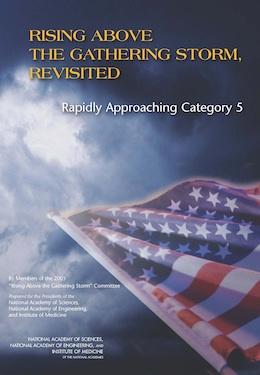
Rising Above the Gathering Storm, Revisited: Rapidly Approaching Category 5

The National Academies Press recently released a jaw-dropping report on the state of math, engineering and science education in the United States.  The word cloud below provides a high level summary.  Below are also some of the factoids included in the report.

It's obvious that there is MUCH work to do!

Here's a few factoids from the report:
  • Sixty-nine percent of United States public school students in fifth through eighth grade are taught mathematics by a teacher without a degree or certificate in mathematics.
  • In 2000 the number of foreign students studying the physical sciences and engineering in United States graduate schools for the first time surpassed the number of United States students.
  • The United States now ranks 22nd among the world’s nations in the density of broadband Internet penetration and 72nd in the density of mobile telephony subscriptions.
  • In 2009, 51 percent of United States patents were awarded to non- United States companies
  • Thirty years ago, ten percent of California’s general fund went to higher education and three percent to prisons. Today, nearly eleven percent goes to prisons and eight percent to higher education.
  • The United States graduates more visual arts and performing arts majors than engineers.
  • The total annual federal investment in research in mathematics, the physical sciences and engineering is now equal to the increase in United States healthcare costs every nine weeks.
  • The average American K-12 student spends four hours a day in front of a TV.
  • When MIT put its course materials on the worldwide web, over half of the users were outside the United States.
  • Japan has 1524 miles of high speed rail; France has 1163; and China just passed 742 miles. The United States has 225. China has 5612 miles now under construction and one plant produces 200 trains each year capable of operating at 217 mph. The United States has none under construction.
  • Youths between the ages of 8 and 18 average seven-and-a-half hours a day in front of video games, television and computers—often multi-tasking.
References (for the above) can be found in the full report.

Monday, January 17, 2011

Tips for Math and Science Faculty Using Blackboard

The Center for Academic Technology recently facilitated a workshop on Using Blackboard for STEM Courses.  This posting is meant to be a complement to that offering.
  1. Try Scenario/Problem Based Learning: Problem based learning allows students to learn while doing.  We have all heard the adage, "Talking isn't teaching and listening isn't learning", well PBL is its antithesis.  Once students become active about their learning, many of the communication tools in Blackboard (journals, discussion boards, voice board) become feasible options for the STEM instructor. 
  2. http://www.slideshare.net/desertjul/teaching-math-online
  3. Create Learning Resources: Use podcasts and screencasts to discuss they "why' of math/science: According to the most recent release of the National Survey of Student Engagement, most STEM instructors use 'low tech' means to commiunicate with students.  The use of voice tools (Wimba ClassroomEcho 360,  and podcasting) can allow students to hear and find their 'math voice'.  The voice which provides the reasoning, the 'why', for problem solving.  
  4. Learn to Use Notations in MathType, WebEQ Editor or Equation Editor in MS Word: Many instructors cite the lack of math symbols in Blackboard tools as a reason for not using them.  In fact, Blackboard includes math notations in its text editors and there are also features available within MS Word via a downloadable called Equation Editor.  Microsoft also has an informative website for students to learn about the editor.   One trick I like to use is taking a screen capture of a math equation and then importing the image into Blackboard.  It's a nice way to 'recycle' math problems too.                
  5. Familiarize yourself with Internet resources: Math and science textbook publishers often include free resources for faculty.  Depending on their level of sophistication, these resources can be directly loaded into your LMS or shared with your students electronically.  Many publishers offer paid services which include homework and assignment tracking, as well as online tutoring assistance. Blogs and online presentations which deal with teaching math and science can also be useful.  Khanacademy.org has a great repository of math and science related simulations.
  6. Invest in a pen tablet or tablet computer: Several faculty members at UDC employ tablet computers in the classroom and for online instruction.  A tablet allows you to write directly onto the computer screen, thus eliminating the need for math symbols to be entered via the keyboard.  You can also use a pen tablet which offers the same functionality, but does not provide the screen to act as a point of reference.  
  7. Discuss Learning in the Classroom: As a former math teacher (I didn't retire, just not doing it right now:), I value the conversational aspect of math over 'drill and practice'.  Students spend so little time 'talking' about math, it really is our responsibility to nurture that practice.  This blog post speaks to an emerging practice where profs give students lecture work online and leave classtime for discussion.  The only issue here is that most profs are used to lecturing in class and porting that effort online is not a trivial undertaking.  [see point 2 above]
  8. Enhance their "Math toolbelt": Ira David Socol of Michigan State coined the term which suggests:   "that we must teach our students how to analyze tasks, the task-completion environment, their own skills and capabilities, an appropriate range of available tools… and let them begin to make their own decisions." [excerpted from his blog].  This is especially important when students are taking stand-alone courses.  Learning skills which will help them beyond the classroom (read: 21st century skills) can help set a path for lifelong learning.  I think we all agree that learning which only lasts one semester isn't our goal.  Dr Socol's theory has been tied to universal design theory... worth the read.

Wednesday, January 5, 2011

Using FlipCams in the Classroom Workshop


This post supports today's workshop on the use of Flip Cam's in the Classroom.

FlipCams cost about $150 and can record up to 2 hours of video.  The greatest feature of the flipcam is its ease of use.

You press the red button to record, press it again to stop.  You can zoom in and out and the sound is excellent.  And to top it all off, to get the video from the camera, all you do is stick it in your USB port.  From there, you can upload to youtube or share via the web.

The Center for Academic Technology has 2 FlipCam's which can be used by faculty.   Please contact Dr Suzan Harkness to use them.

Using FlipCams in the Classroom
I've used or seen used FlipCams used in the classroom in a number of ways:
1. Recording a mid-term or final exam review
2. Recording student presentations
3. Explaining a math or science concept (5 minute lecture)
4. Capturing performance (music/drama)
5. Experiential Learning... having students record out of class experiences

Educause has a great website which discusses 7 Things you should know about Flip Cams in higher education.

Here's an example of the FlipCam in use:


Around the Web

There have been a number of very good web posts [TechLearning, FreeTechnologyforTeachers, and Learn4Life) on FlipCams.  I really like this post which lists 10 Educational uses for Flipcams (list below).  Duke University also has an excellent site on the use of FlipCams in the classroom.


Lastly, this presentation gives all types of ways to use Flip Cams.  

Here are the slides I 'use' in the workshop.

Monday, December 20, 2010

Access and Equity in Online Classes and Virtual Schools


[Last post of 2010]
While this is a K12 report about online learning, as more traditional students come from environments where online learning is pervasive, it is important for colleges to keep pace.

Even in the Washington DC area, the amount of technology used in K12 schools varies widely.  Smartboards and smart classrooms are widely used (<-- that link is from 2007!)  in Montgomery County and to a lesser extent in PG County.  Fairfax always leads the way, and   DC has been playing catch up and the large number of independent charter schools have varying levels of technology use.

Here's a summary from the report:

Equity and access are important issues in education. The virtual school community has an obligation
to ensure that their programs are accessible and the educational opportunities are equitable. Virtual
education programs need to pay attention to these issues to be sure to have the greatest benefit
to the largest number of students. From there begins the same legal obligation that all public
education programs have.

Virtual education programs can become proactive on equity and access issues by:
  • Collecting and analyzing student demographic data, then use that data to make program modifications where needed
  • Developing policies and procedures that require and ensure all courses and educational materials be broadly accessible
  • Developing special needs policies that explain the program responsibilities for service to special needs students
  • Creating and publicizing a non-discrimination policy
  • Appointing, when necessary, Title IX and Section 504 Coordinators
  • By implementing these best practices, virtual education programs can be assured of helping the
    greatest number of students obtain a high quality education. 

Below, respected educator Robert Marzano speaks on the paradigm shift technology will bring to the classroom.